Comprehensive Guide To Azure
Introduction
In today’s cloud-driven landscape, businesses are progressively turning to scalable and flexible infrastructure to support their dynamic needs. This guide offers an in-depth understanding of Microsoft Azure, a leading cloud platform that enables organizations to efficiently build, deploy, and manage applications. As a comprehensive guide to Azure administration, it focuses on the essential services and solutions that Azure provides.
It explores how Azure empowers enterprises to leverage cloud computing capabilities, including on-demand scalability, cost-efficiency, and robust security. Through this guide, administrators will gain insights into core Azure services like Virtual Machines, Azure Storage, Azure Active Directory, and Virtual Networks, as well as best practices for managing and securing cloud environments.
Table of Contents
- Introduction to Cloud Concepts and Azure
- Core Azure Services
- Azure Pricing, Support, and Governance
- Managing Azure Resources
- Azure Application Services and Advanced Topics
- Advanced Azure Administration
- Deep Dive into Azure Storage and Virtual Machines
- Advanced Azure Networking
- Identity, Access Management, and Governance
- Monitoring, Data Protection, and Recovery
Understanding AZURE Services
Introduction to Cloud Concepts and Azure
Azure is Microsoft’s comprehensive cloud platform, offering a wide range of services and solutions for building, deploying, and managing applications through a global network of data centers. Understanding cloud computing basics—such as scalability, elasticity, and shared responsibility—is foundational for effective Azure usage. This section introduces key Azure concepts, including its core offerings, deployment models (IaaS, PaaS, SaaS), and benefits like cost savings, high availability, and rapid innovation.
Core Azure Services
Azure provides a suite of core services essential for building robust cloud environments. These include compute services (such as Virtual Machines and Azure App Service), storage solutions (Blob, File, and Disk Storage), networking tools (Virtual Network and Load Balancer), and databases (Azure SQL, Cosmos DB). Understanding these services and how to leverage them allows administrators to design flexible and scalable architectures suited to various workloads, from simple applications to complex enterprise environments.
Azure Pricing, Support, and Governance
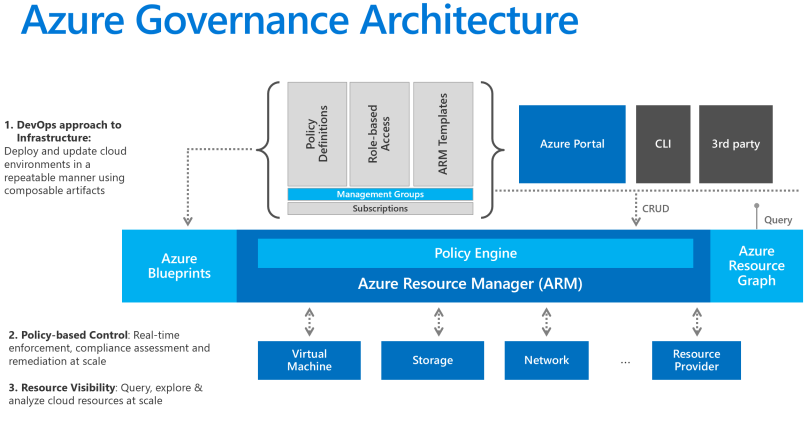
Azure’s pricing model is designed to provide flexibility and control over cloud spending. This section explores Azure's pricing options (e.g., pay-as-you-go, reserved instances) and tools such as the Azure Pricing Calculator and Azure Cost Management to optimize costs. In addition, Azure’s support plans offer varying levels of assistance, from basic troubleshooting to 24/7 expert guidance. Governance best practices, including Azure Policy and management groups, ensure compliance and structured resource management across an organization’s Azure subscriptions.
Managing Azure Resources
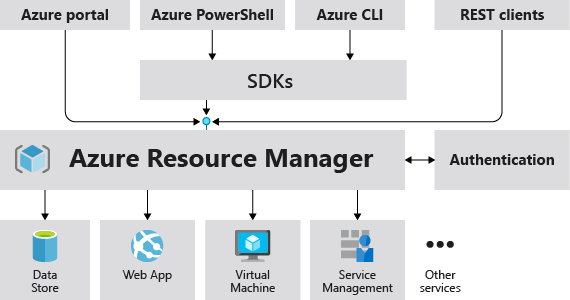
Azure Resource Manager (ARM) is the backbone of resource management in Azure, enabling administrators to deploy, manage, and organize resources through templates and consistent policies. This section covers the fundamentals of resource groups, tags, and ARM templates, allowing administrators to automate and efficiently manage cloud resources. Understanding how to create, update, and delete resources while maintaining an organized environment is crucial for effective Azure management.
Azure Application Services and Advanced Topics
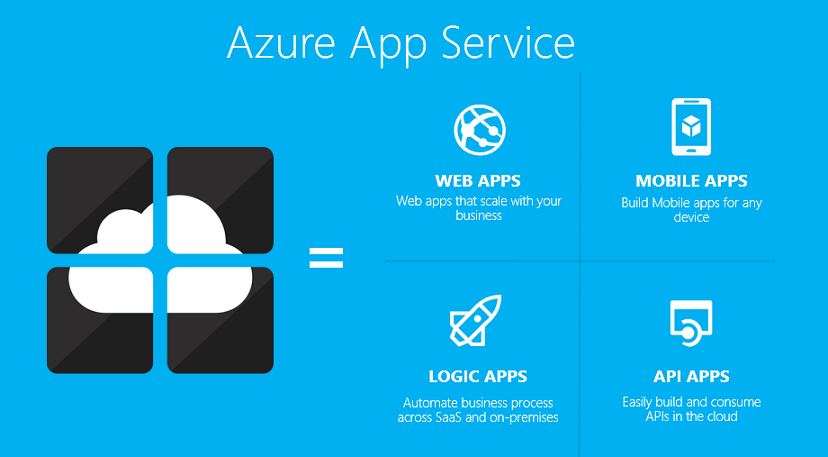
Azure’s Application Services provide a platform for deploying and managing applications with minimal infrastructure management. This includes Azure App Service for web apps, Azure Functions for serverless computing, and Azure Logic Apps for workflow automation. These services enable developers to focus on application logic rather than infrastructure. Advanced topics such as microservices and API management allow for more sophisticated application architectures, enhancing scalability and flexibility.
Advanced Azure Administration
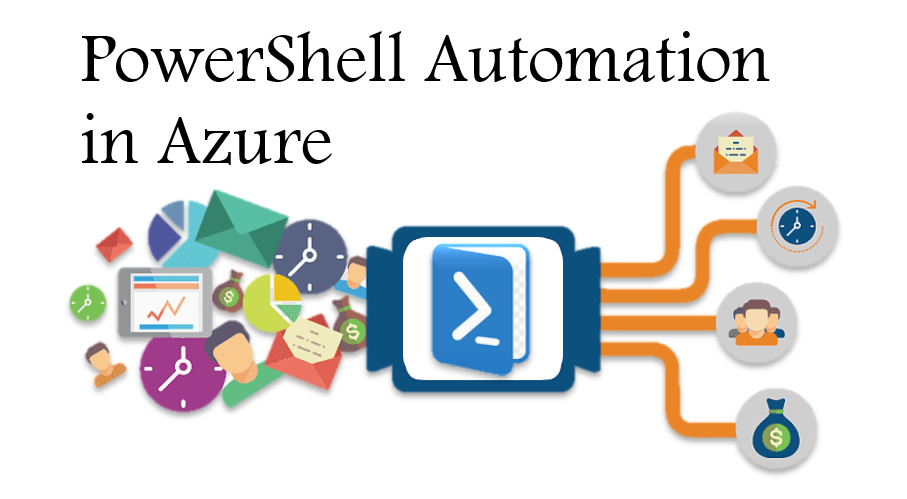
Advanced administration in Azure involves automation, configuration management, and monitoring at scale. Tools like Azure Automation, PowerShell, and CLI allow administrators to automate repetitive tasks, streamline deployments, and maintain consistency. Advanced features such as Azure Blueprints help enforce compliance across environments. This section covers best practices for automating administrative tasks and scaling operations within large Azure environments.
Deep Dive into Azure Storage and Virtual Machines
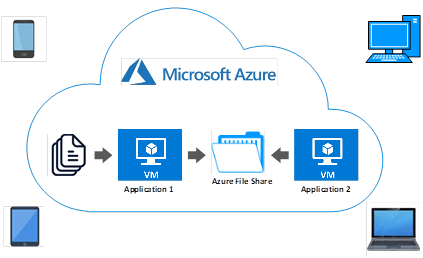
Azure offers a range of storage options for different data needs, including Blob storage for unstructured data, Azure Files for shared file storage, and Disk Storage for persistent VM storage. This section also delves into Azure Virtual Machines (VMs), which provide on-demand, scalable computing resources. Understanding VM configuration, storage choices, backup, and disaster recovery options enables administrators to design resilient and efficient cloud solutions.
Advanced Azure Networking
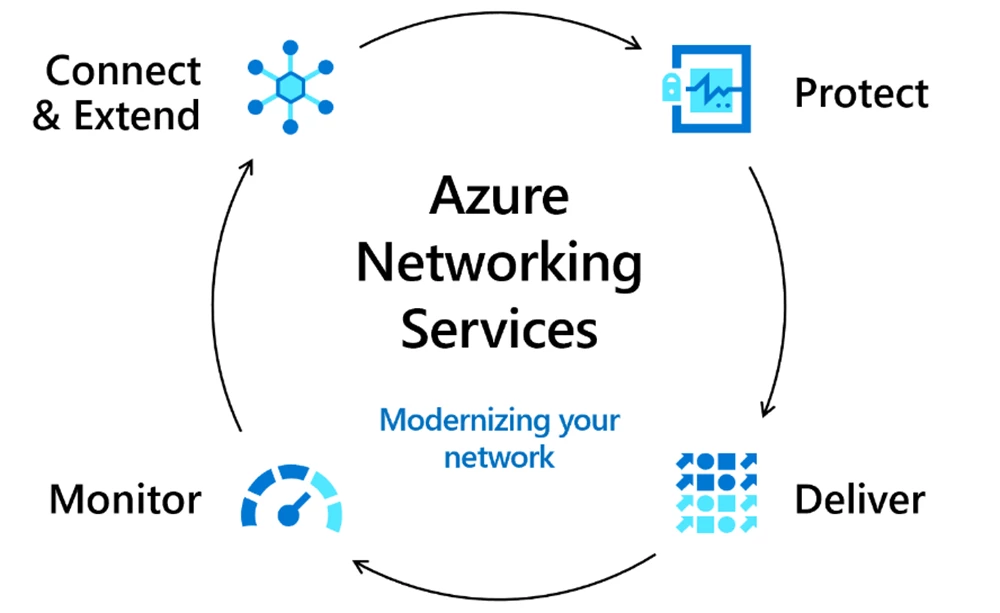
Azure provides powerful networking tools, allowing businesses to create secure, flexible, and high-performance network architectures. This includes Virtual Networks (VNets), ExpressRoute for private connections, Load Balancers, Application Gateway for traffic management, and Azure DNS. Mastery of subnet configuration, Network Security Groups (NSGs), peering, and hybrid connectivity options (e.g., VPN Gateway) is essential for building and managing secure, interconnected environments.
Identity, Access Management, and Governance
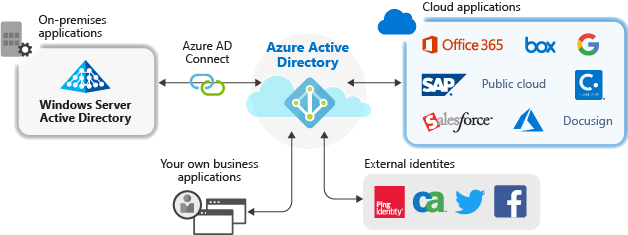
Azure Active Directory (Azure AD) is a comprehensive identity management solution, enabling secure access to resources and services within Azure. This section covers identity and access management (IAM), including user roles, multi-factor authentication (MFA), and conditional access policies. Additionally, Azure Policy and Role-Based Access Control (RBAC) ensure proper governance, providing control over who has access to which resources and enforcing compliance across the organization.
Monitoring, Data Protection, and Recovery
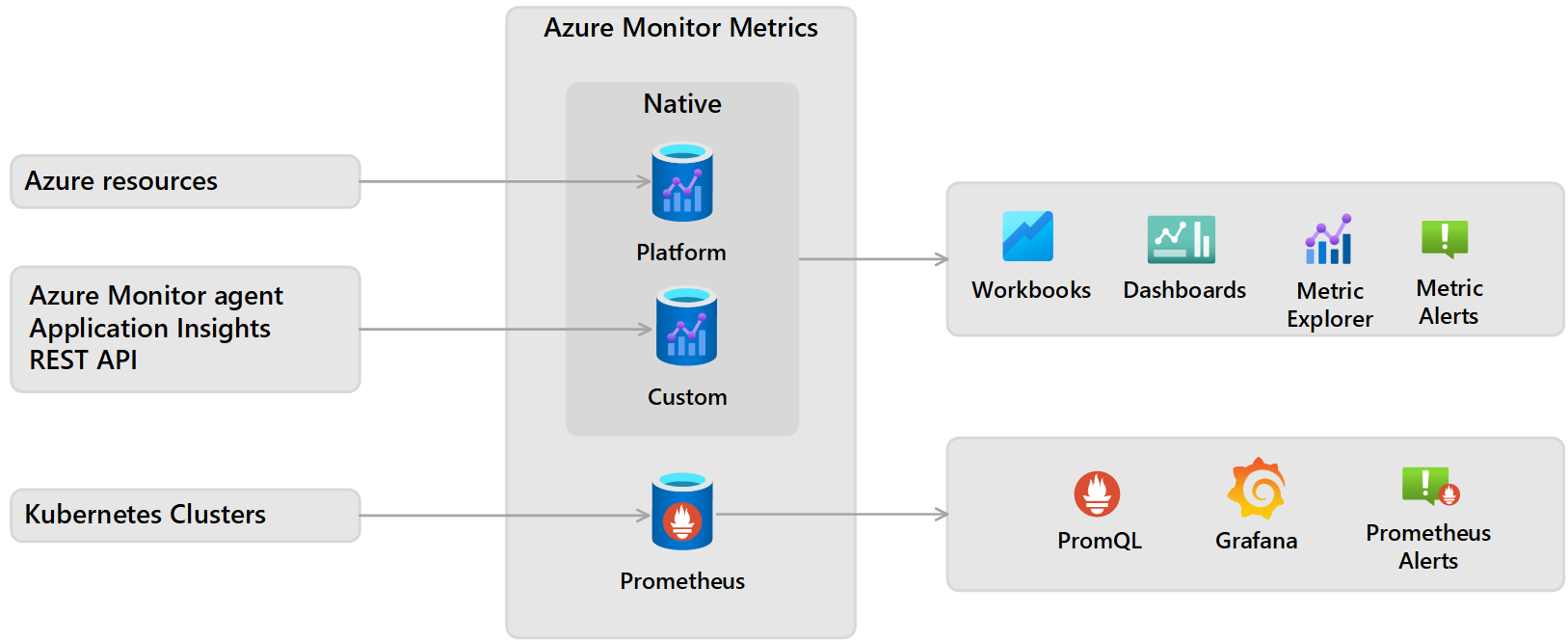
Azure provides a suite of monitoring and security tools to ensure the health and security of your cloud infrastructure. Azure Monitor and Log Analytics collect and analyze data, offering insights into resource performance and alerting on issues. Backup and Site Recovery solutions protect data and applications, allowing administrators to implement disaster recovery strategies. This section focuses on maintaining the availability, integrity, and resilience of cloud environments.
Conclusion
Azure provides a robust and adaptable cloud platform tailored to the needs of modern businesses, enabling everything from essential infrastructure to advanced, scalable architectures for enterprises. With a broad spectrum of services—spanning compute, storage, networking, security, and advanced AI and analytics—Azure empowers organizations to build, deploy, and manage applications globally, all while maintaining high availability, security, and cost-efficiency.
For beginners, starting with core services like Azure Virtual Machines, Blob Storage, and Azure Active Directory can help establish a strong foundation in cloud computing fundamentals. As you gain experience, incorporating advanced services such as Azure Functions, Cosmos DB, and Kubernetes Service (AKS) allows you to design complex, serverless, and resilient architectures suited for diverse and demanding workloads.

